A workspace for your team and AI agents
Work with agents on code changes or create documents and presentations directly in Viberglass. Your team can discuss the work and ask for revisions in a shared task. Code goes through GitHub pull requests; other files can be previewed and downloaded in the app. You run it on your own infrastructure.
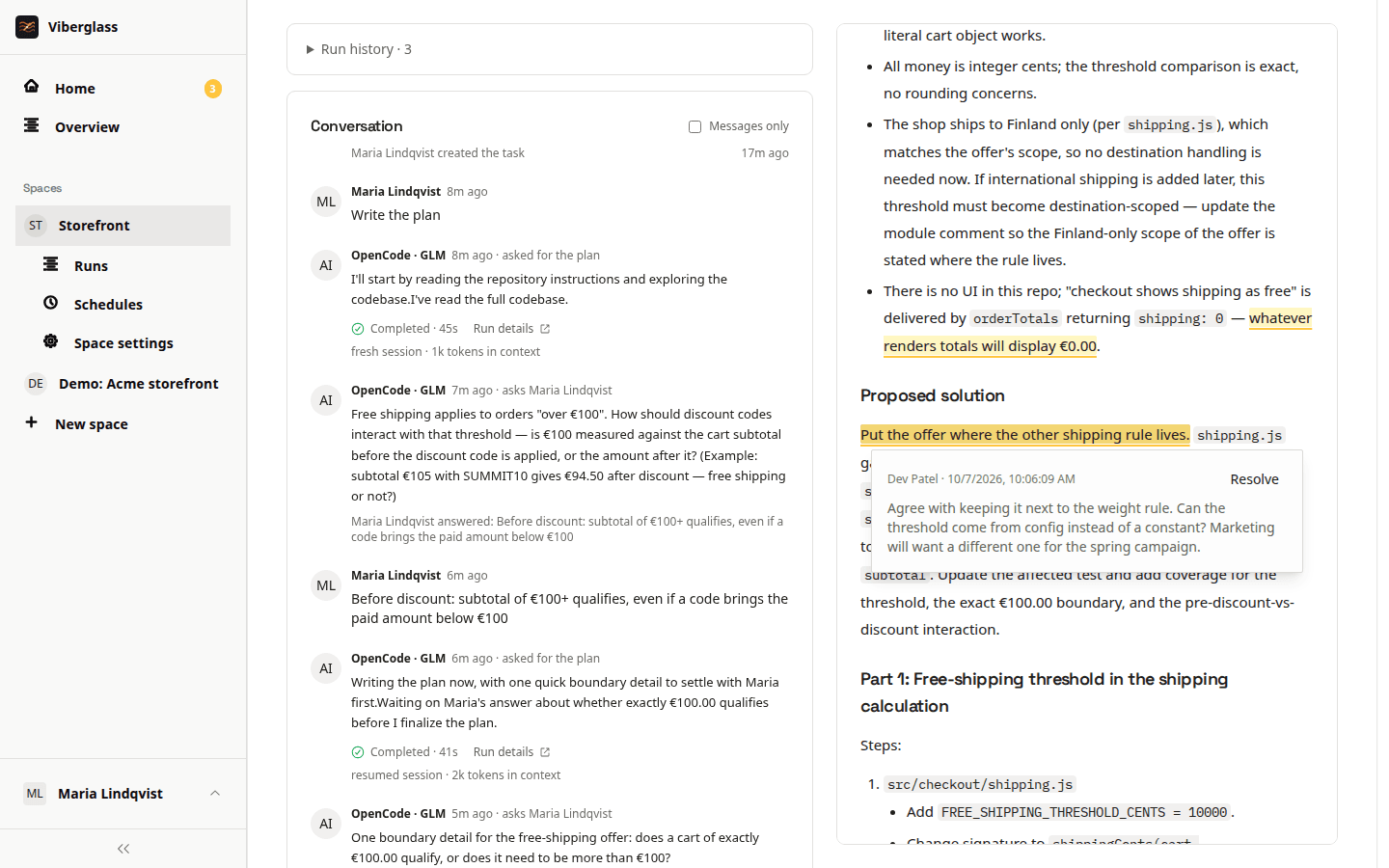
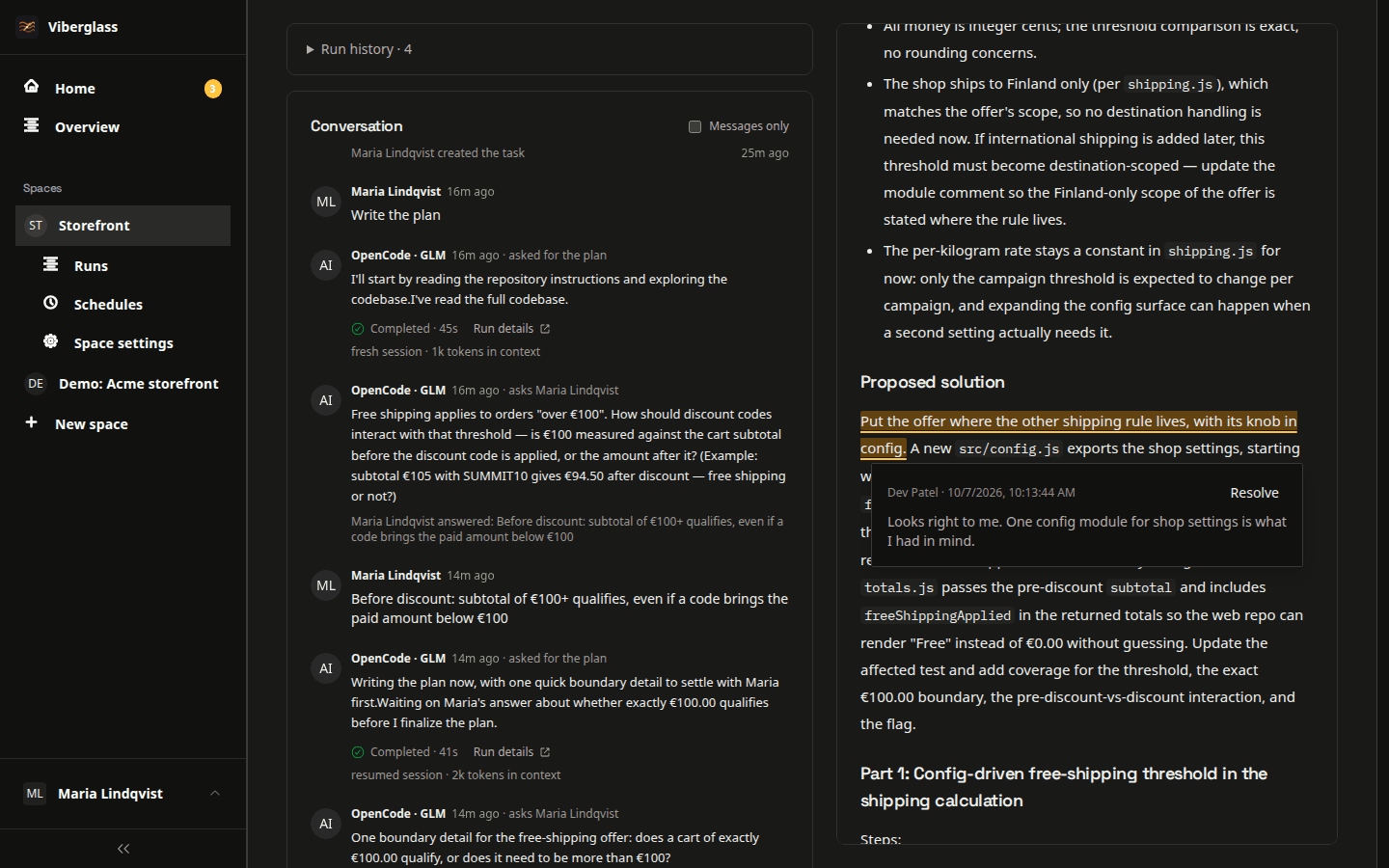
A task in Viberglass
Tasks your team can bring to Viberglass
QA and support
Include the steps to reproduce a bug and what you expected to happen. The agent can ask follow-up questions, and you can check whether its plan addresses the report.
Product and design
Draft a product brief or presentation from the files you provide. You can also describe changes to copy, layouts or product behaviour and review the proposed implementation with engineering.
Sales and customer success
Prepare customer presentations and reports with an agent, then request revisions in the task. For product feedback or demo changes, follow the resulting pull request through engineering review.
Working on a task
Describe the work
Write a task in the web app or Slack and add the people who should review it. Use a Git space for code changes or a Files space for work such as documents and presentations. Include any source files or screenshots the agent needs.
Discuss the approach
Ask for a plan when you want to agree on the approach first. The agent can ask questions in the thread, and your team can comment or request revisions. In a Files space, you can also ask it to create an artifact directly.
Review the result
Code changes open a GitHub pull request for engineering review. In a Files space, review the artifact in Viberglass and ask for another version if needed. Mark the task done when the work is finished.
Using Viberglass
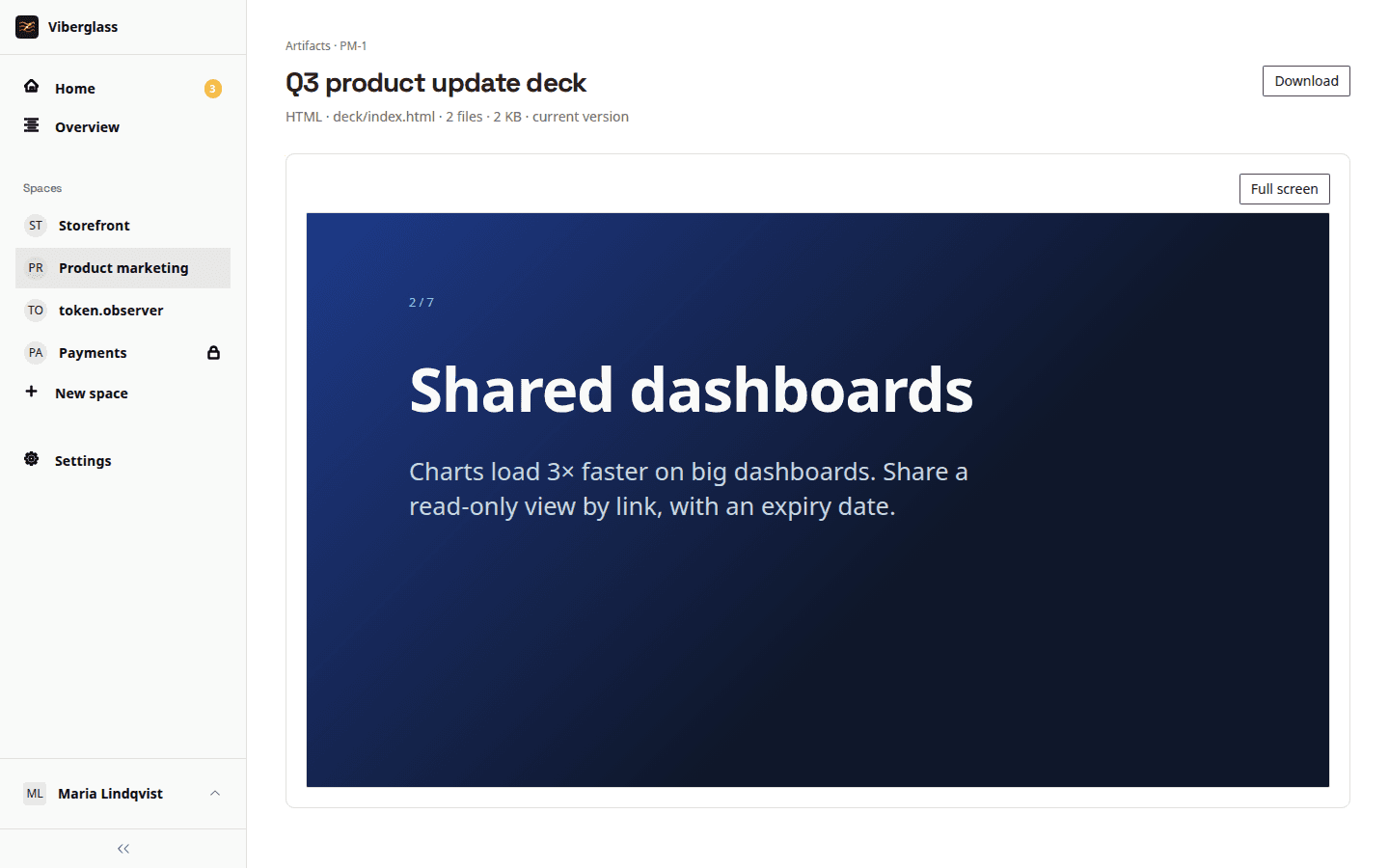
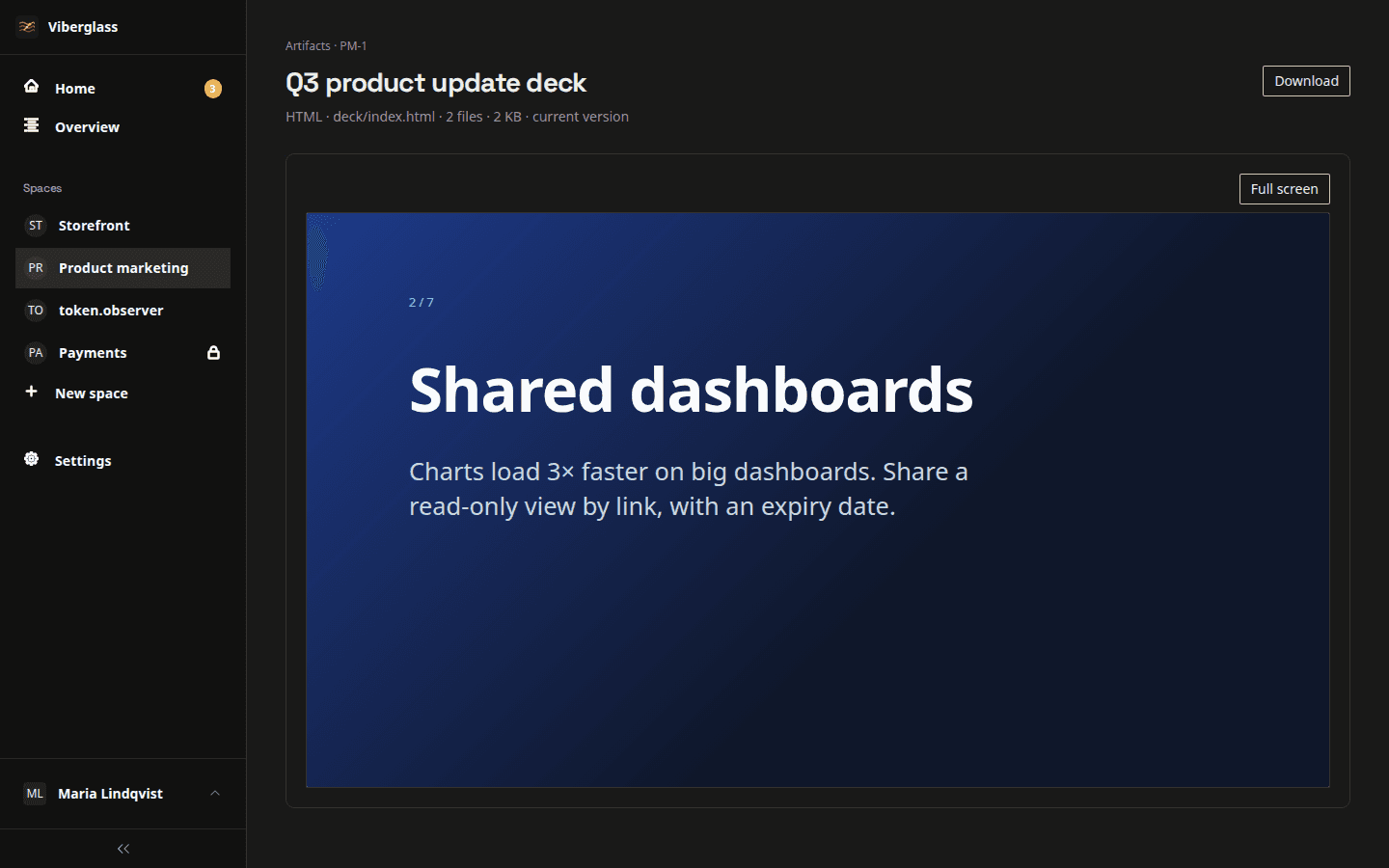
Documents and other artifacts
Ask an agent to create a report, presentation or other file directly in Viberglass. A Files space keeps the source files available across tasks without a Git repository. Preview the result, ask for revisions and download it when ready. You can also edit text files yourself; changes to an artifact create a new version.
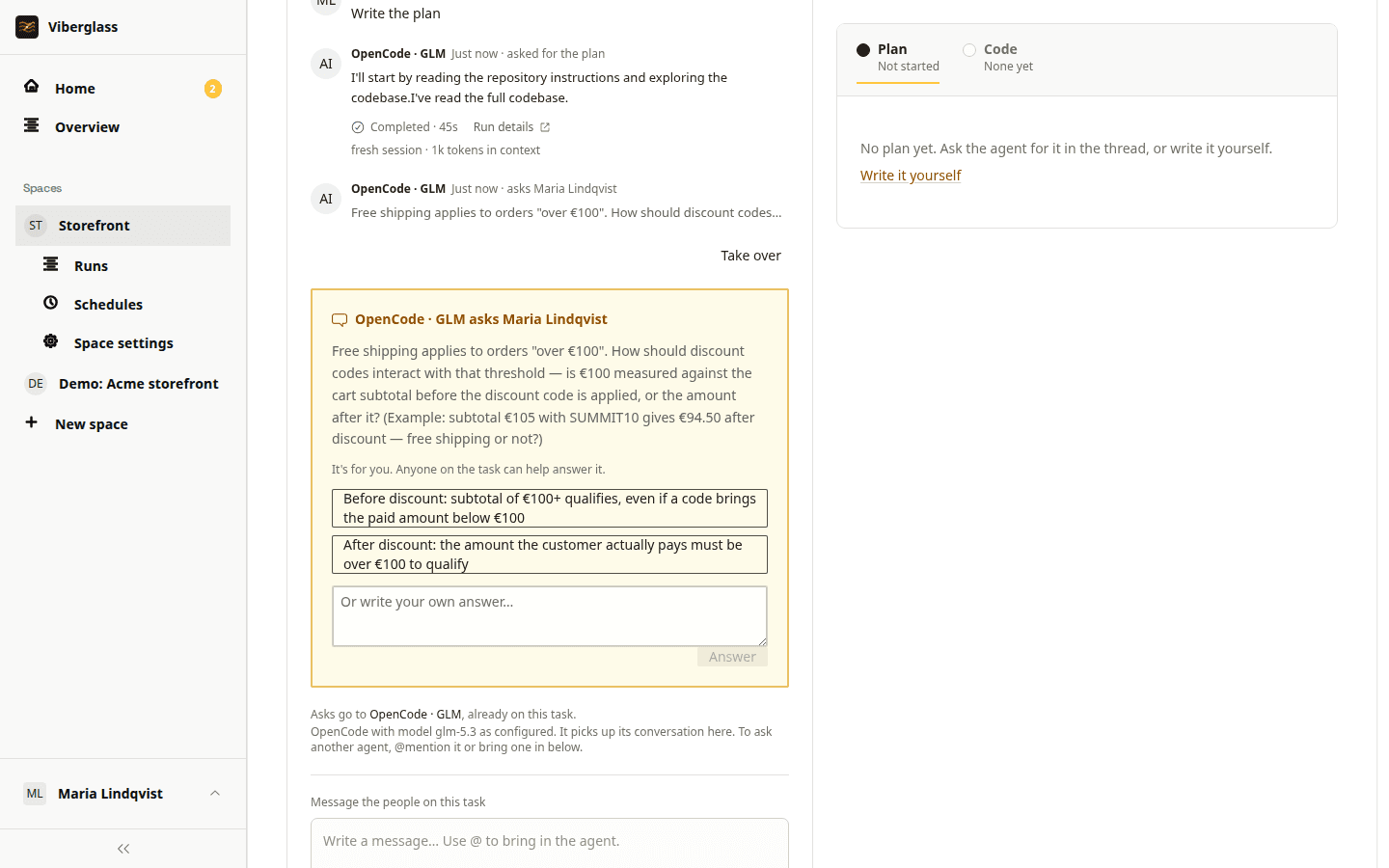
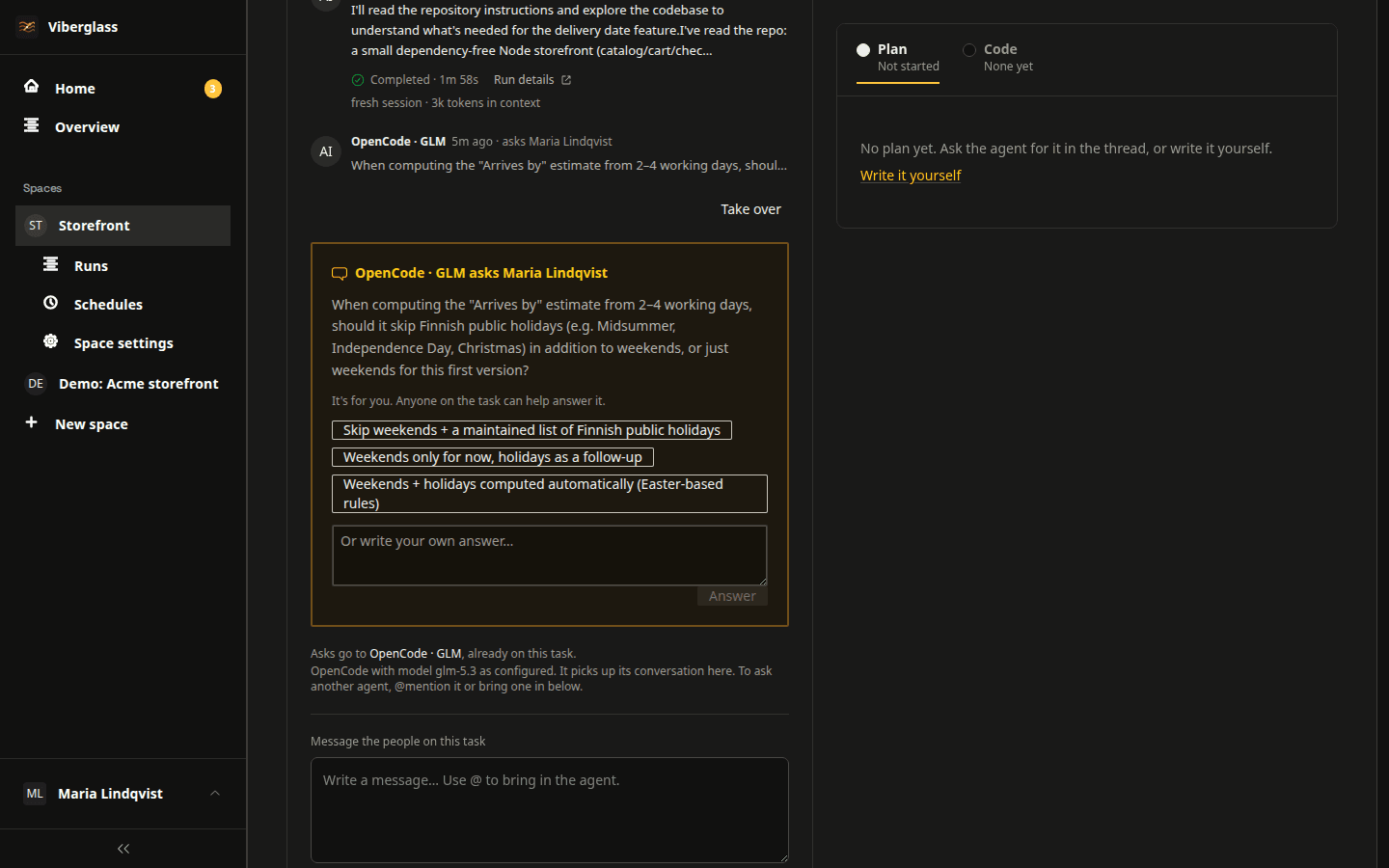
Task history
Each task keeps the conversation alongside its plans, artifacts or pull requests. Add reviewers or watchers, and use @mentions to bring someone into the discussion. They can read the earlier exchanges when they join.
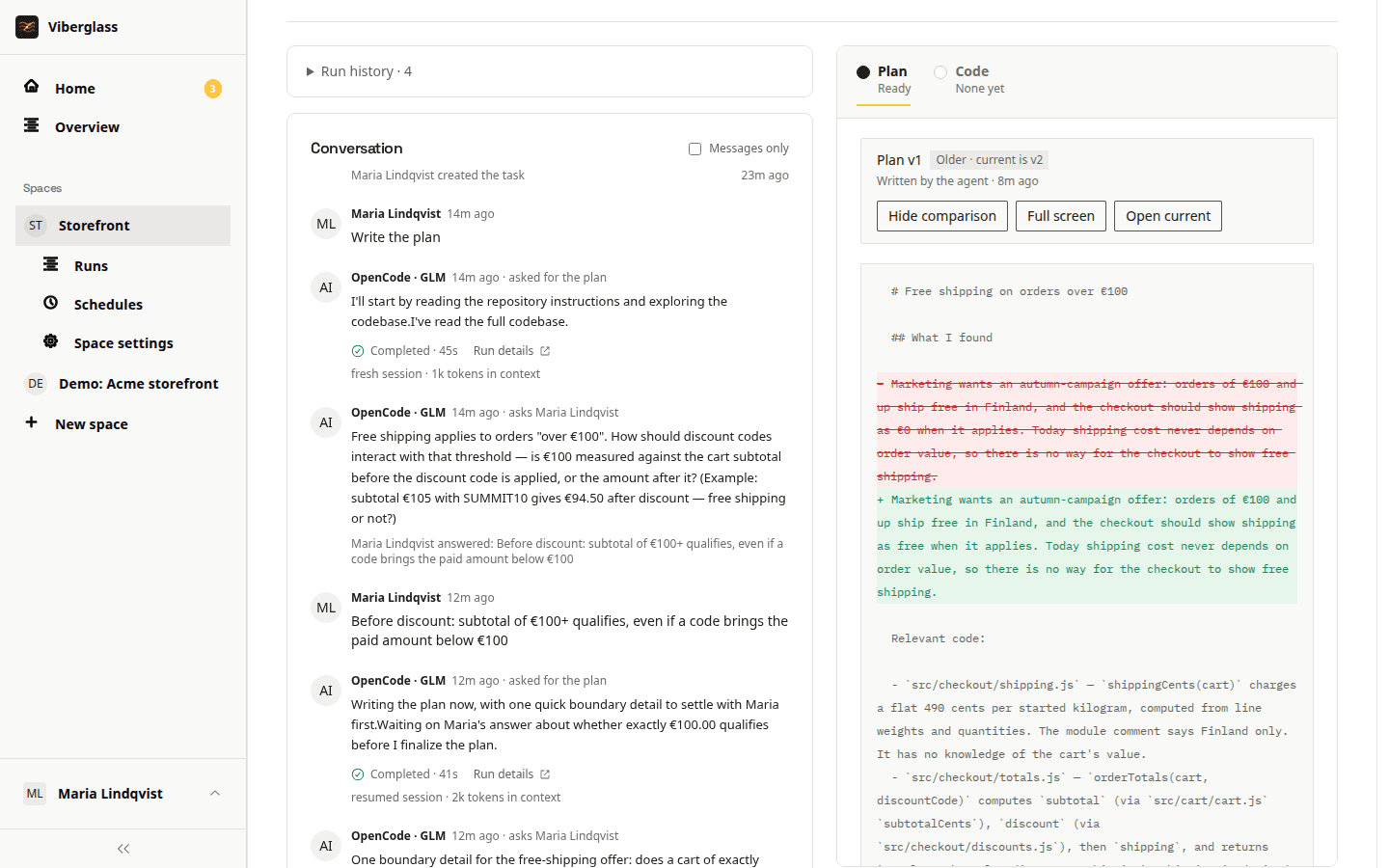
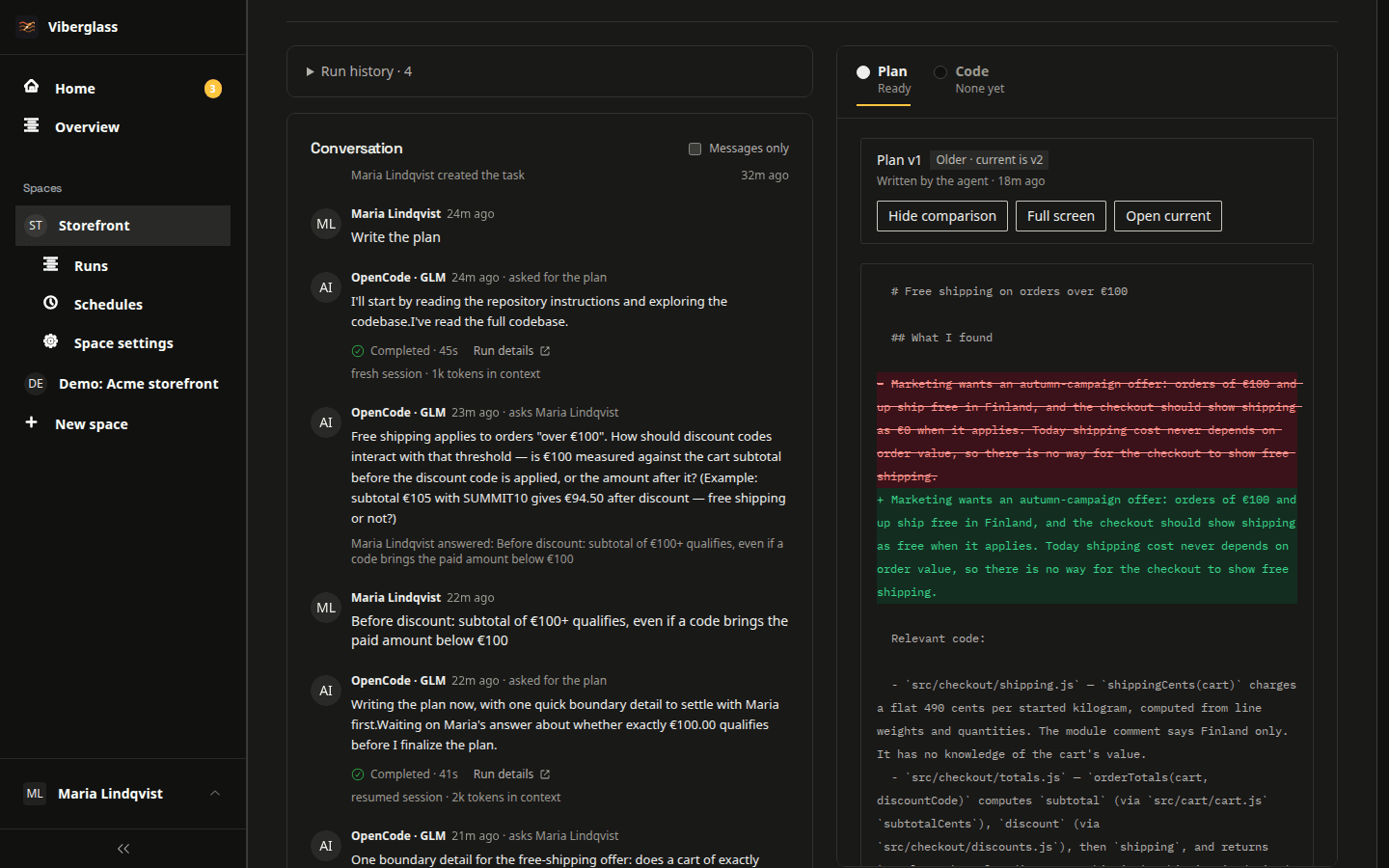
Plan comments and revisions
Comment on a line of the plan or suggest an edit, then ask the agent to revise it. You can compare versions to see what changed. In a Git space, larger plans can be built in parts, each with a separate pull request.
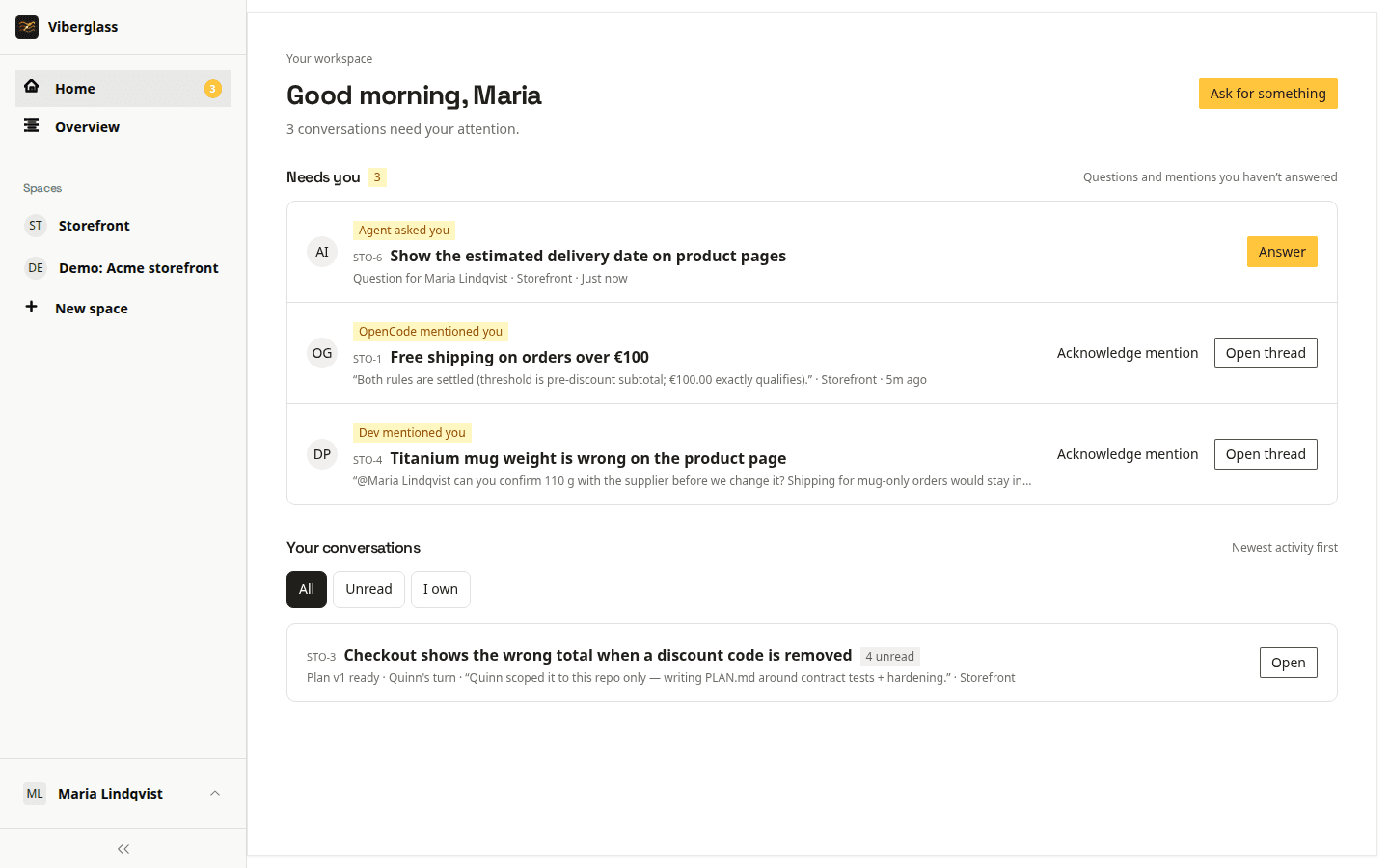
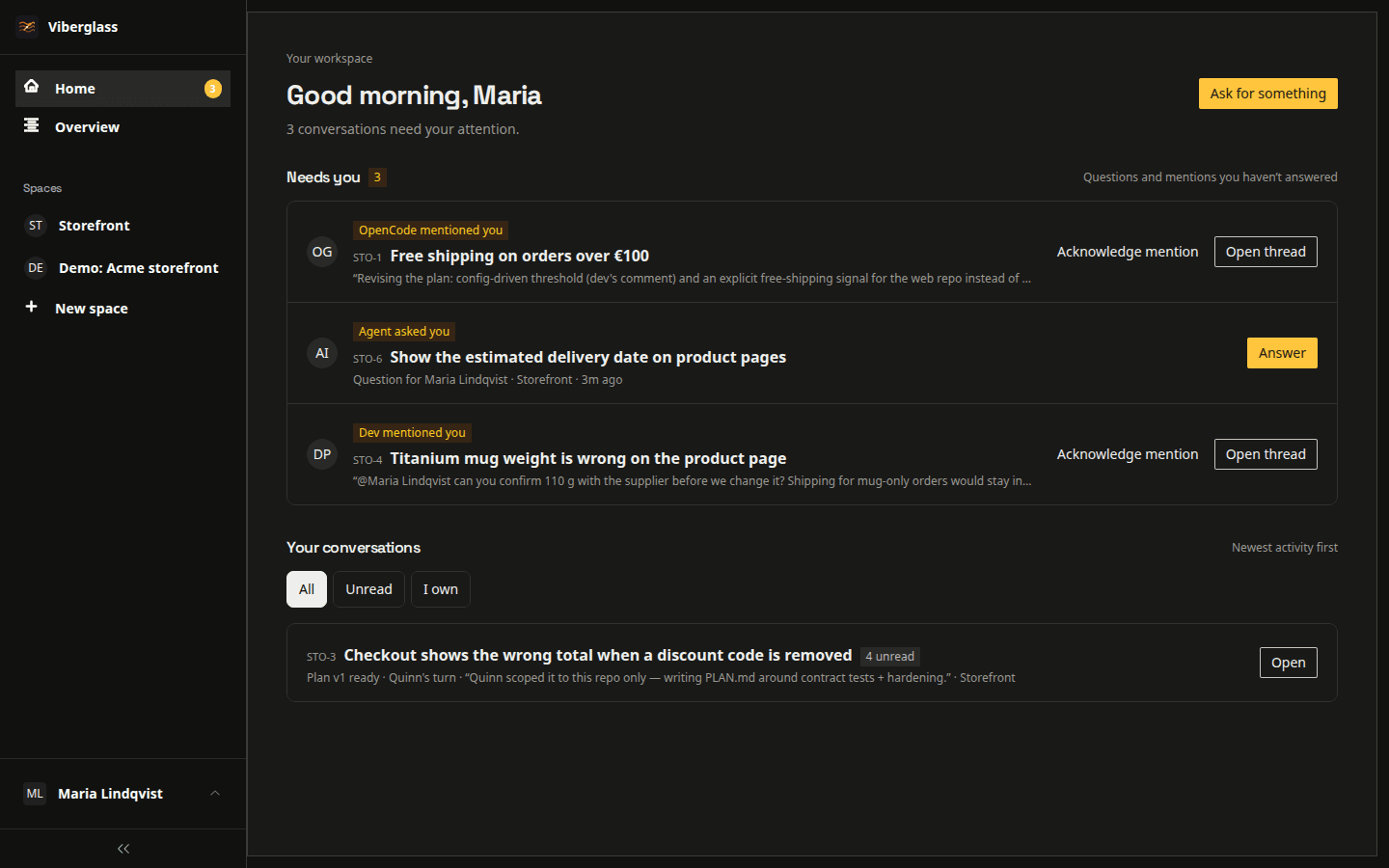
Questions and review requests
Home lists questions addressed to you, review requests, mentions and failed runs. Slack and email notifications let you know when a task needs your attention.
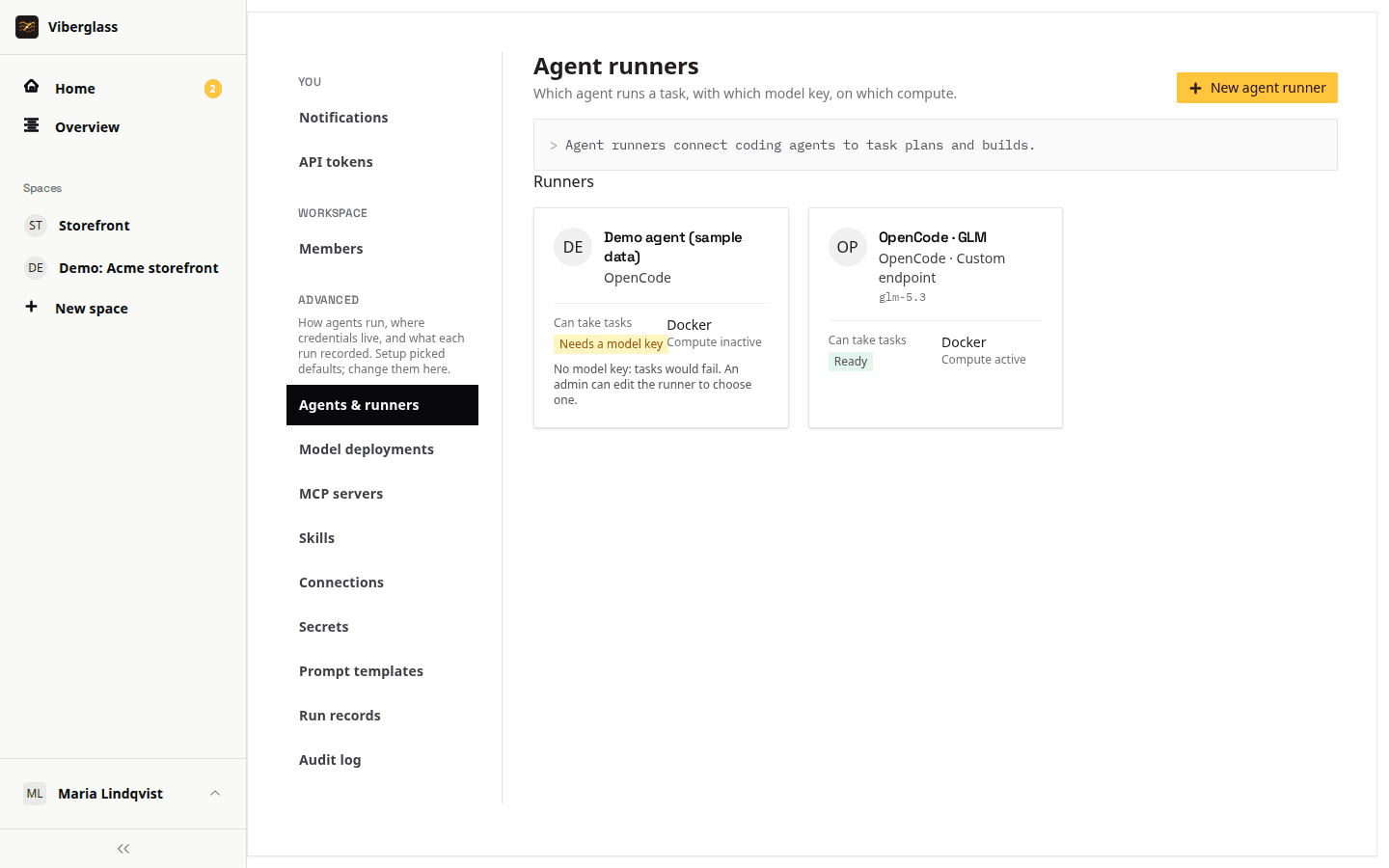
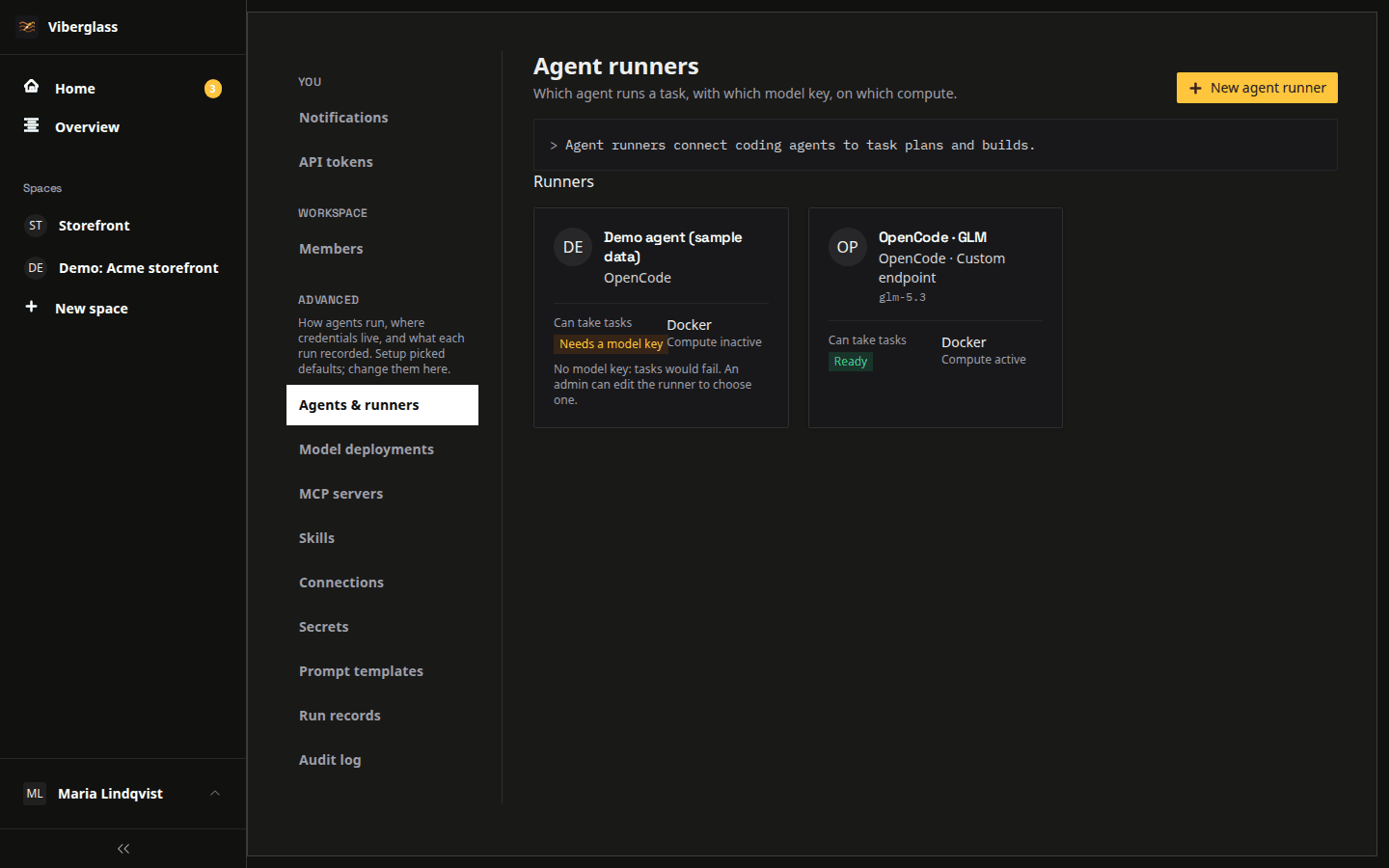
Supported coding agents
Claude Code, Codex, Antigravity, Qwen Code, Mistral Vibe, OpenCode, Kimi Code and Pi. Configure provider keys or supported coding subscriptions for each runner. OpenCode and Pi can also connect to compatible model endpoints, including models you host yourself.
Self-hosting and run records
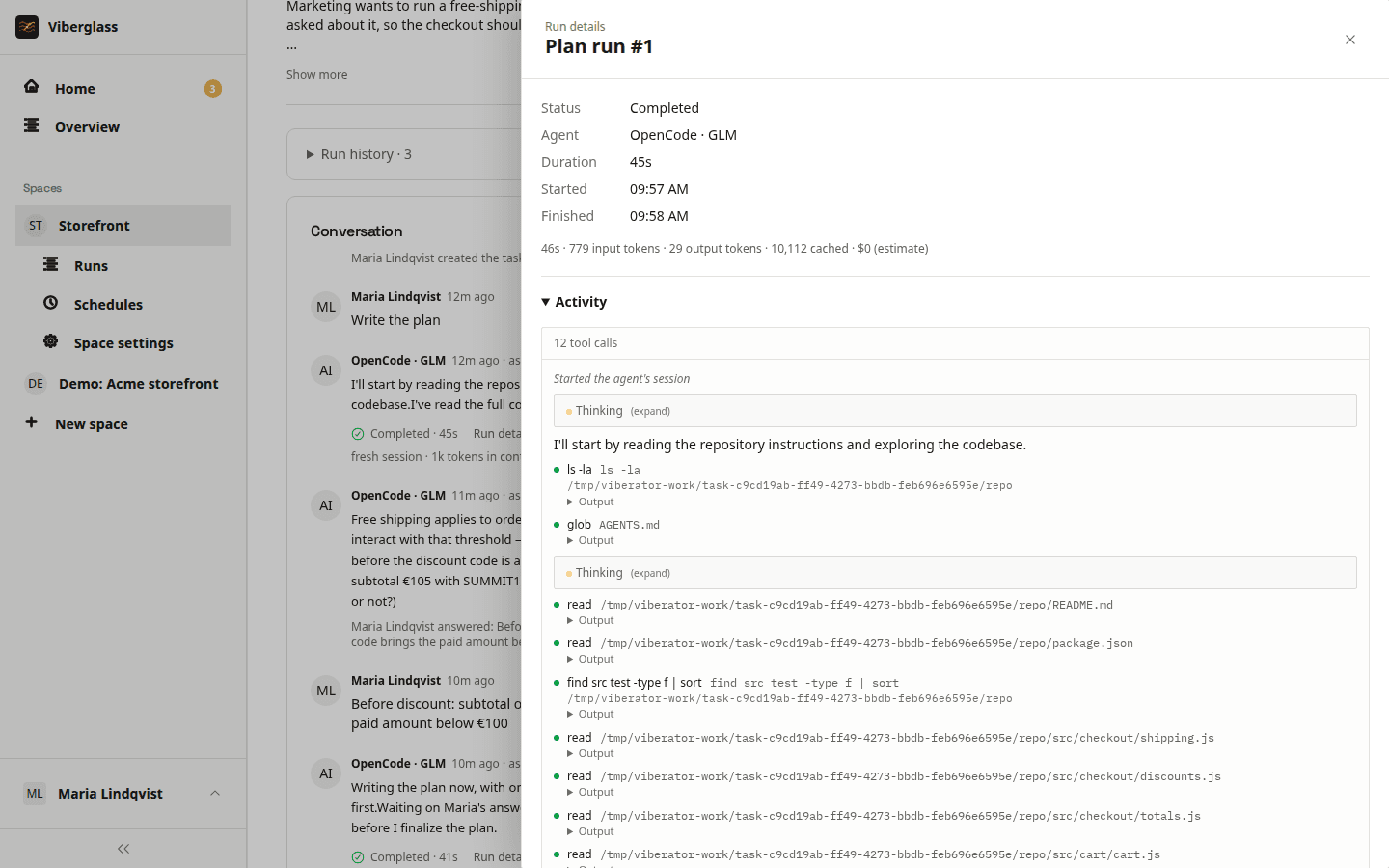
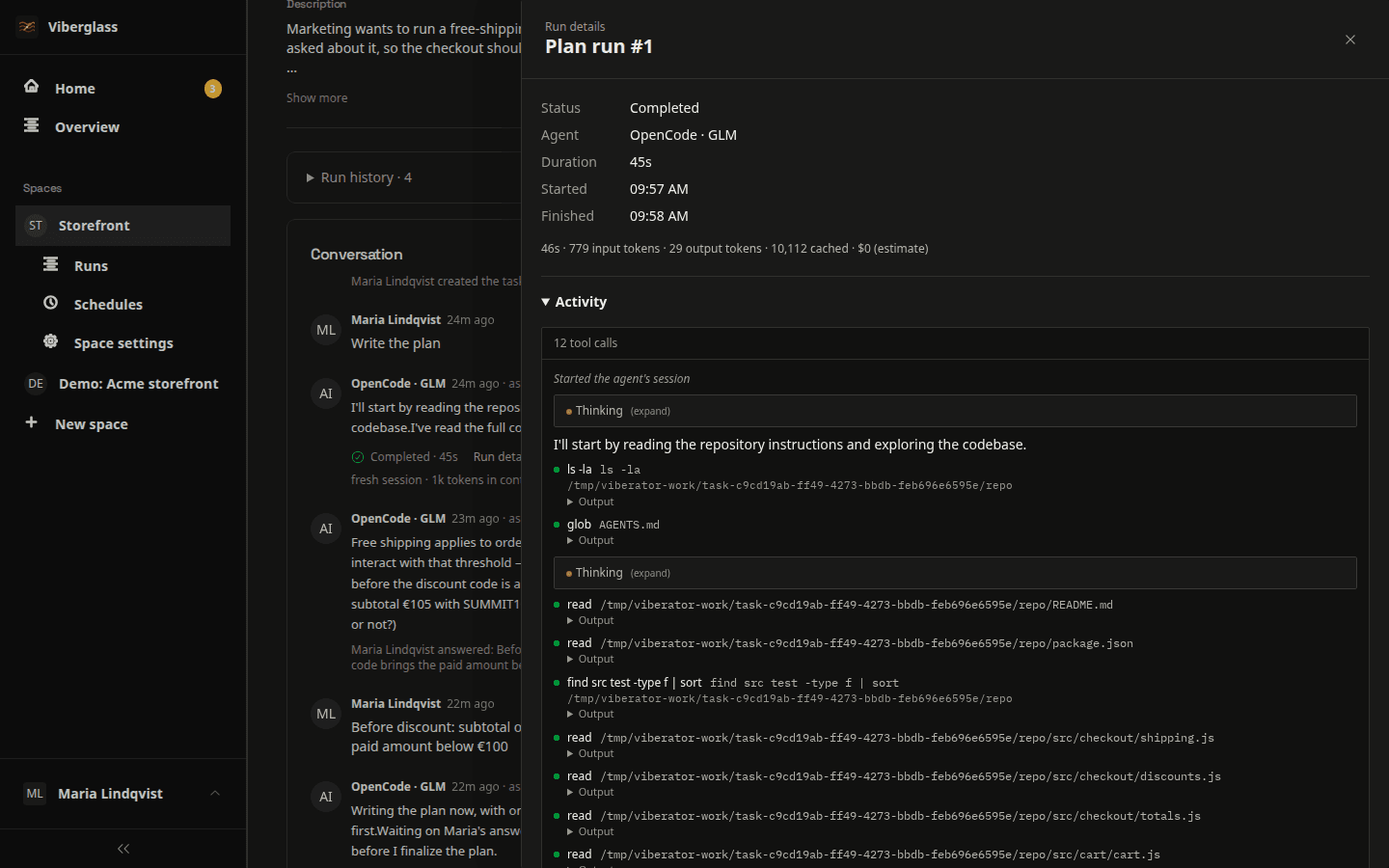
Deploy with Docker Compose, Kubernetes or AWS. Each run has its own worker and a record of the prompt and agent activity, including tool calls. Usage and cost are shown when available. Model requests go to the provider you configure; connected integrations receive the data they need.
Tasks in Slack
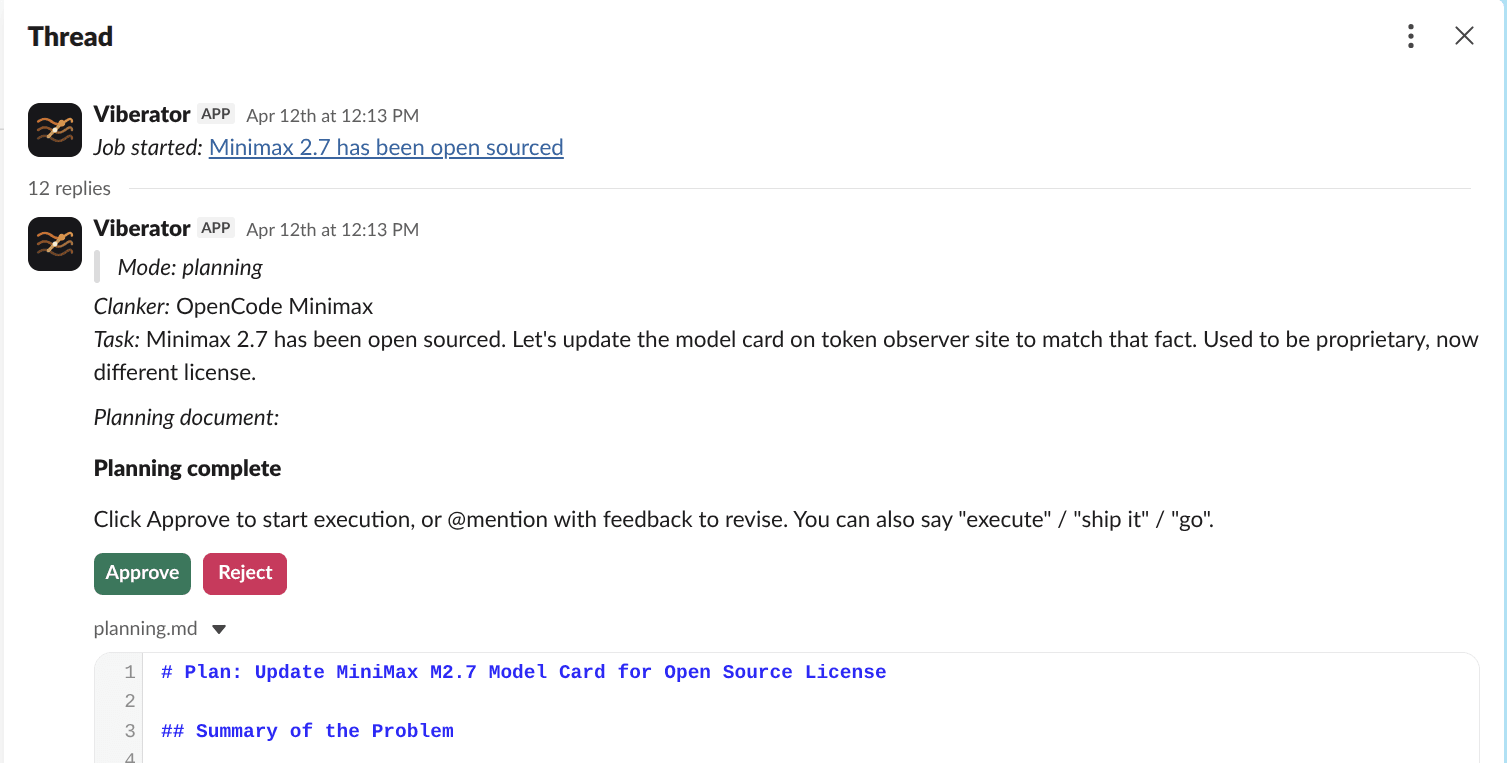
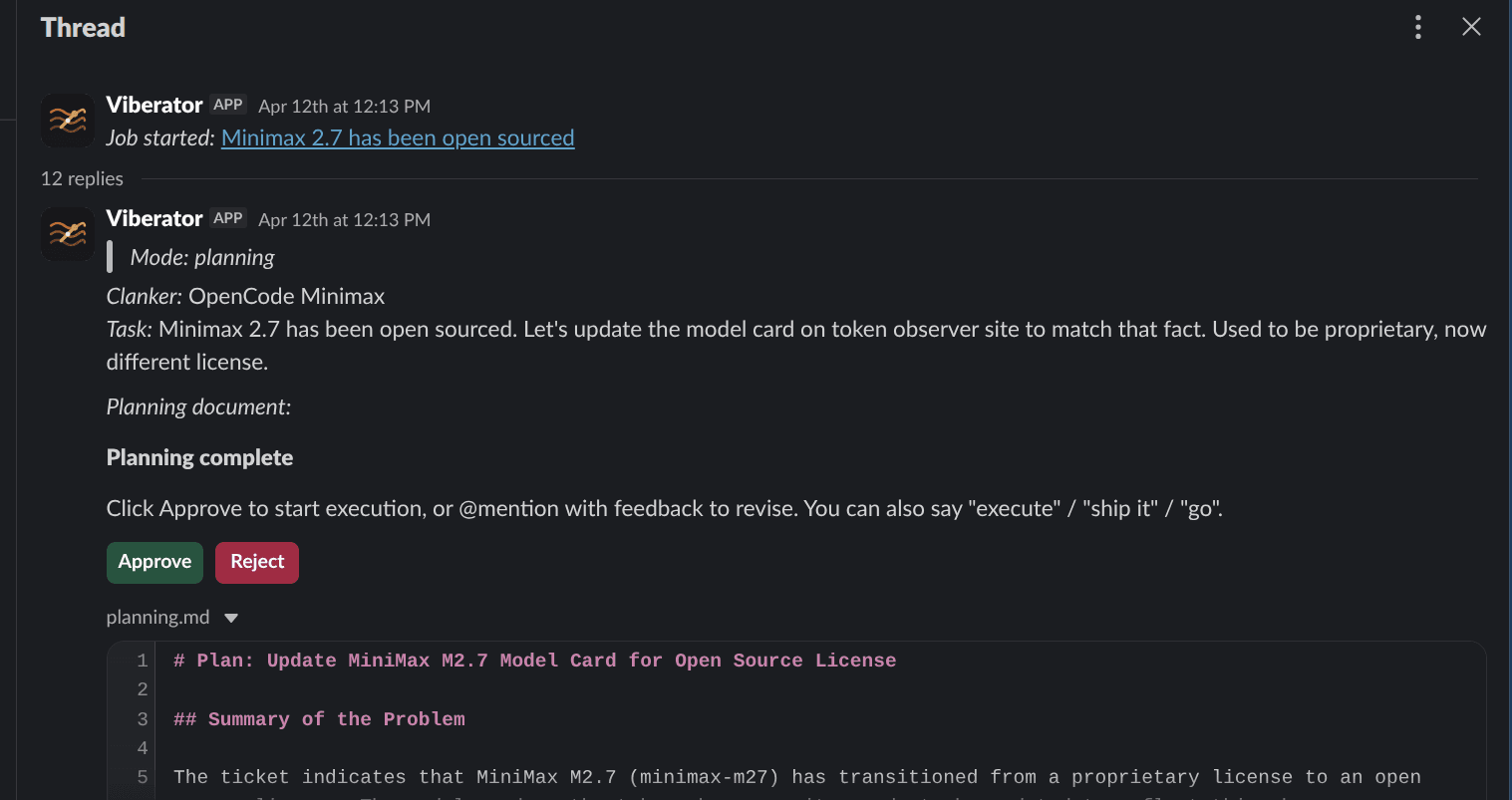
Use /viberglass to create a task with a linked Slack thread. Replies are added to the task, and you can answer agent questions in Slack. Start a code build after reviewing the plan, or create and revise artifacts in a Files space. The Slack thread links to each artifact version.
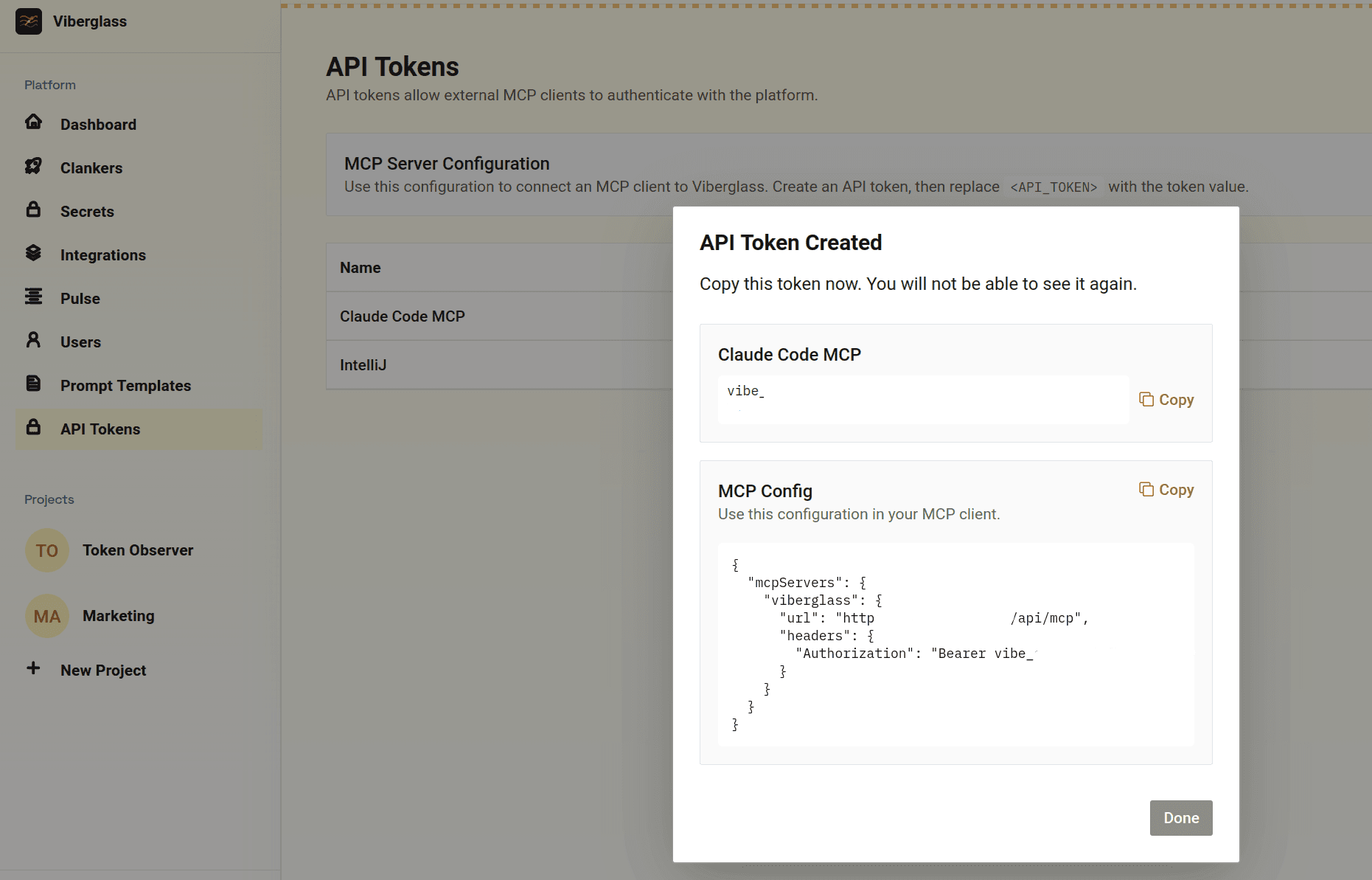
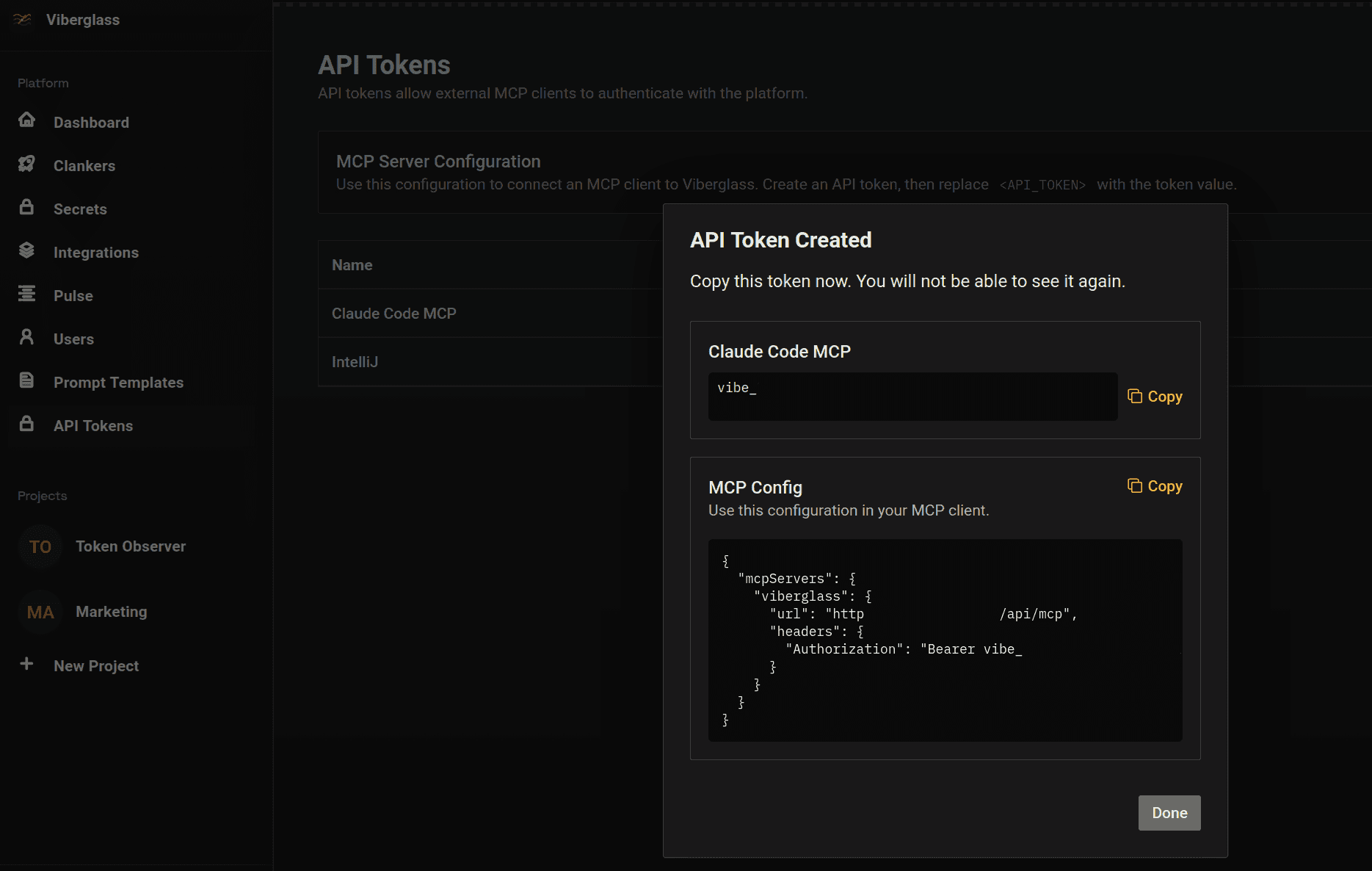
MCP access
Connect Claude, Cursor or another MCP client with an API token. The client can list spaces and tasks, create a task, request a plan or build, and add review comments.
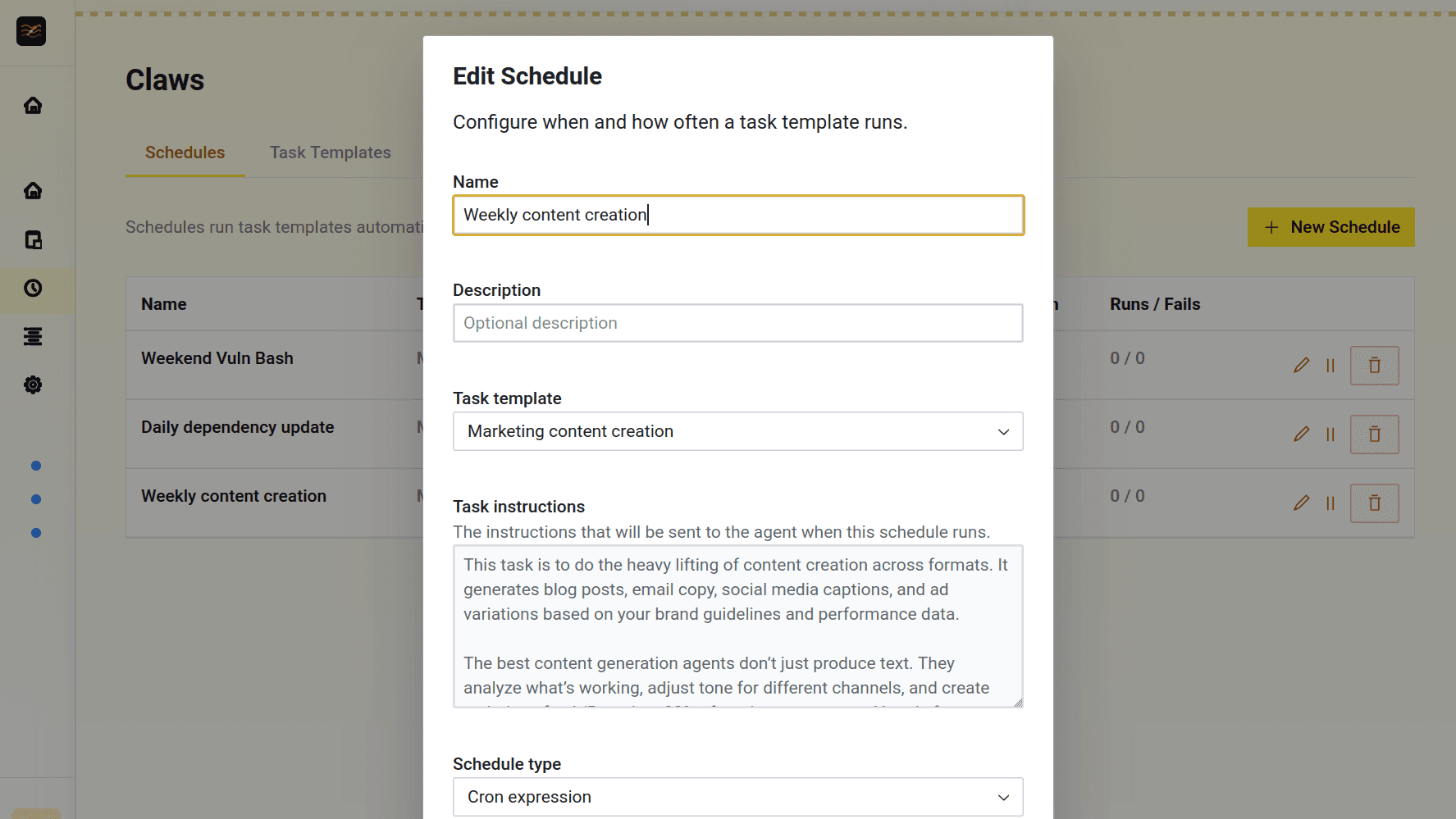
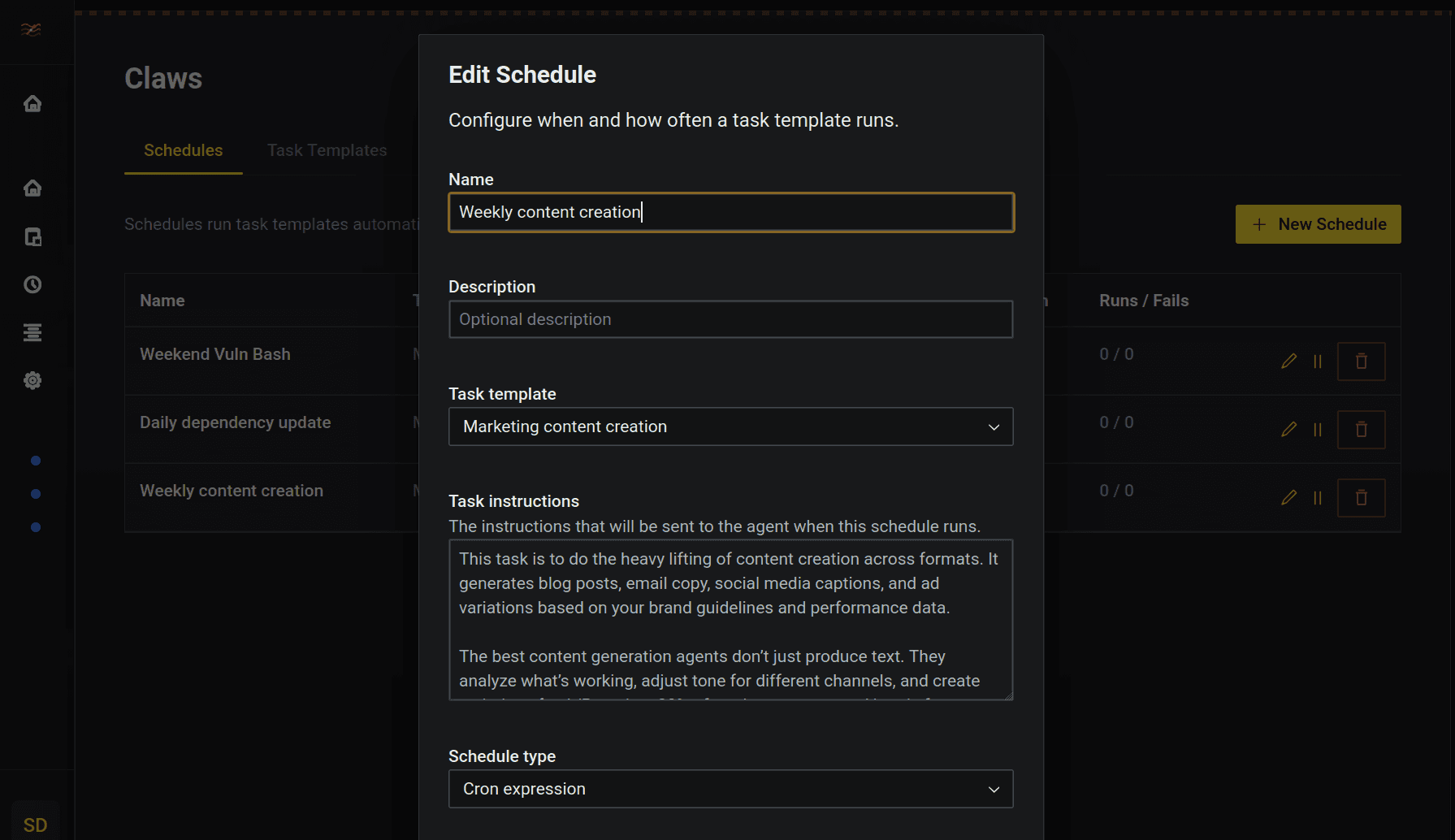
Scheduled tasks
Set a schedule for recurring work, such as dependency updates or a weekly report. The agent uses the instructions you provide. Code changes go through pull request review; reports and other files appear on the space's Artifacts page.
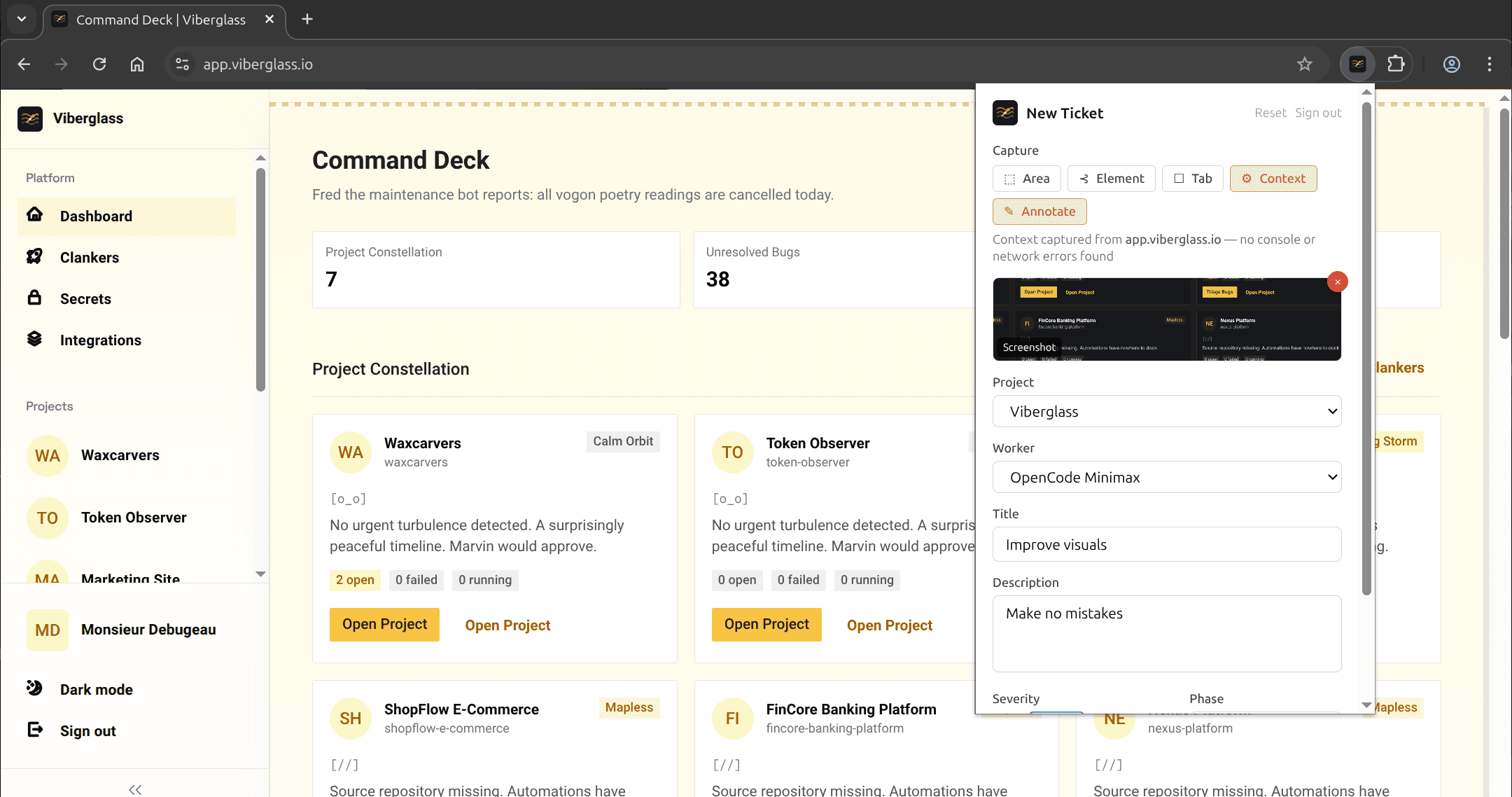
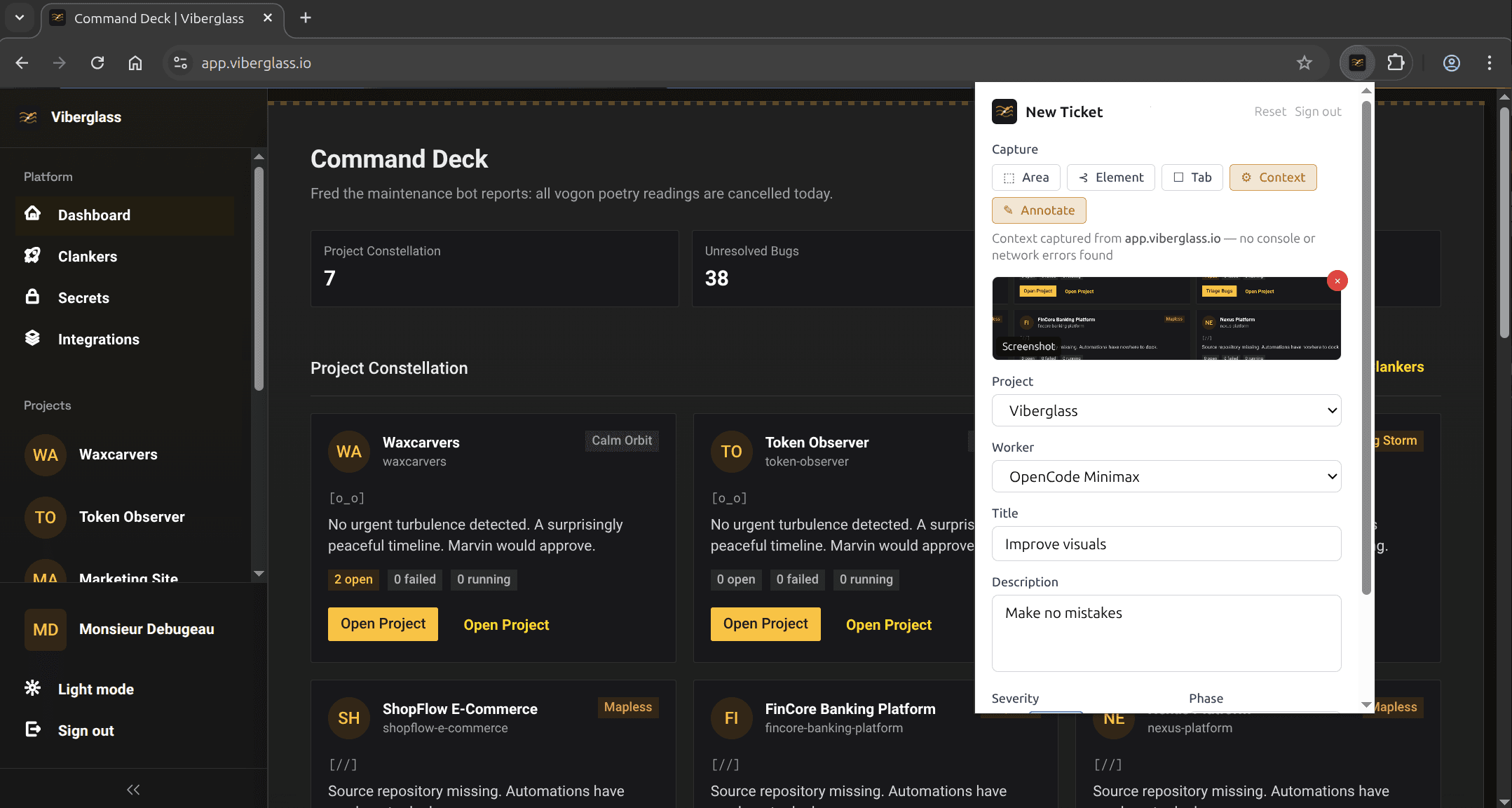
Browser bug reports
The Chrome extension lets you capture and annotate screenshots or record your screen. It attaches browser details, console logs and network errors to the task so the agent has more context for investigating the bug.
Integrations and deployment options
Create tasks from GitHub Issues or Shortcut, capture bugs from the browser, start and discuss tasks in Slack, or push events with custom webhooks. Pull requests go to GitHub.
Frequently asked questions
Installation and support
Viberglass is released under the AGPL-3.0 license. You cover the infrastructure and model costs.
Self-hosted
FreeAGPL-3.0
Run Viberglass on your own infrastructure.
Every feature, no limits on tasks, people or agents
All supported coding agents and model connections
Docker Compose, Kubernetes or AWS
Community support on GitHub
Setup and licensing
Contact
Get help installing Viberglass or discuss a commercial license.
Help with installation and rollout
Custom integrations
A commercial license, if the AGPL doesn't fit
Install Viberglass
The Docker Compose guide covers a local installation and server setup. Kubernetes and AWS deployment guides are also available.